1-on-1 Coaching
Employee Coaching Documentation Software That Remembers Every Conversation
Capture coaching moments, organize employee history, and stay prepared for follow-ups with AI-powered documentation built for managers.
Key takeaways
- Employee coaching documentation software helps managers record coaching conversations, incidents, performance observations, and follow-ups in one history.
- Docu-Coach™ captures a short voice note on the phone and keeps the structured record for the web app to review.
- The record can be an incident, positive feedback, a daily note, a progress update, or a follow-up.
- Docu-Coach™ does not replace an HRIS, payroll, or an e-signature archive.
- Free covers 2 people. Manager is $9.98 per month for 25 people, with a 30-day trial and no card.
- Employee coaching documentation software helps managers record coaching conversations, employee incidents, performance observations, and follow-up activity in an organized record.
Employee coaching documentation software helps managers record coaching conversations, employee incidents, performance observations, and follow-up activity in an organized record.
The broader market also uses "employee documentation software" for HR file cabinets: contracts, policies, and signatures. That is a different job. The comparison is on best employee documentation software. This page is the coaching product.
The cost of relying on memory
A coaching conversation that lives only in the manager's head fails in ordinary ways.
- The conversation is forgotten, so the next one starts from scratch.
- Handwritten notes stay in a notebook the next manager never sees.
- The follow-up was clear in the room and vague a week later.
- The one-on-one arrives and the manager is unprepared.
- An incident has to be reconstructed weeks later from partial memory.
- Two managers keep two different histories of the same person.
None of that requires a lawsuit to matter. It shows up as an unfair conversation, a repeated mistake, or a recognition that never got written down.
How Docu-Coach™ works
The workflow is capture, then organize, then follow up. The method name on the product is Capture. Remember. Coach™. The stages below are the product path, from the phone to the next conversation.
From a spoken note to the next conversation
Capture → Organize → Follow up
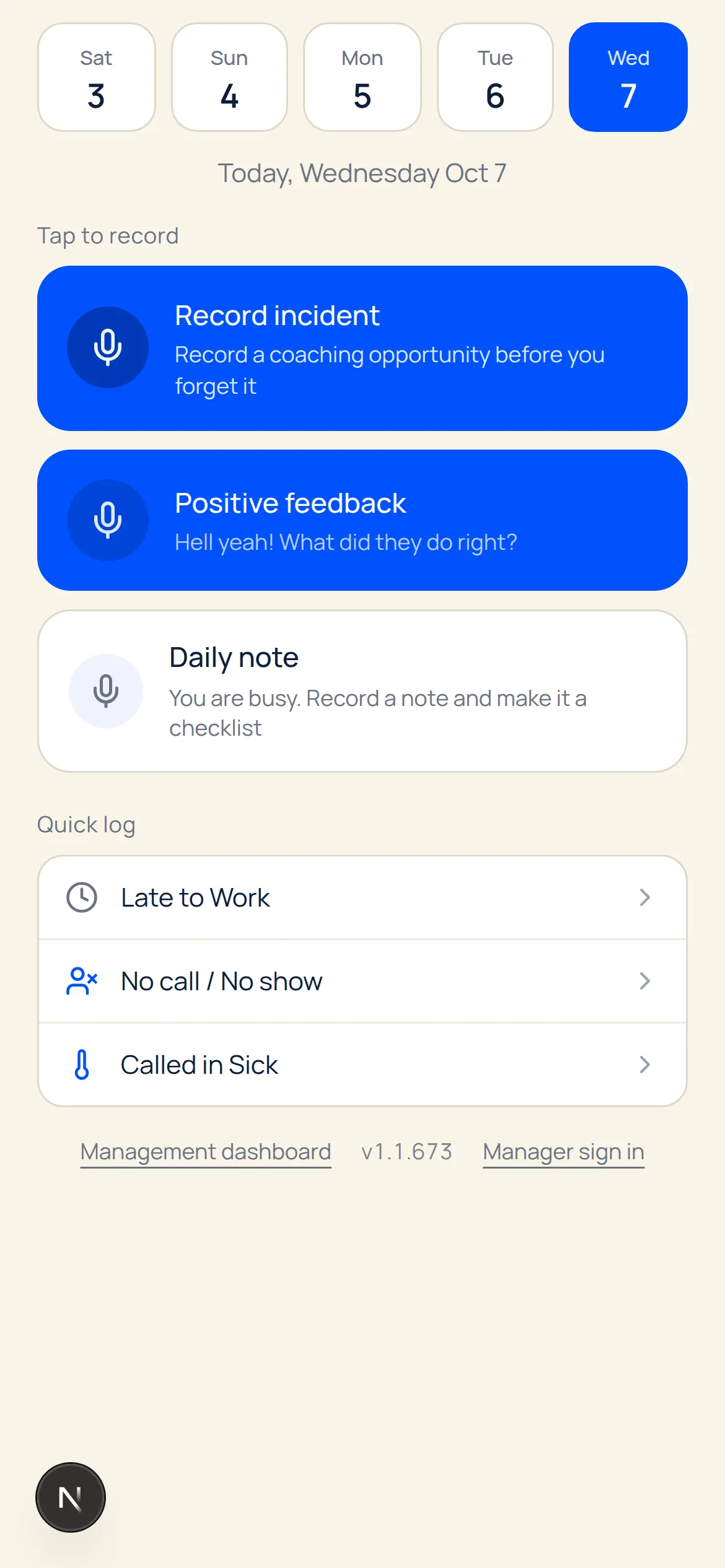
1. Capture the observation on the phone 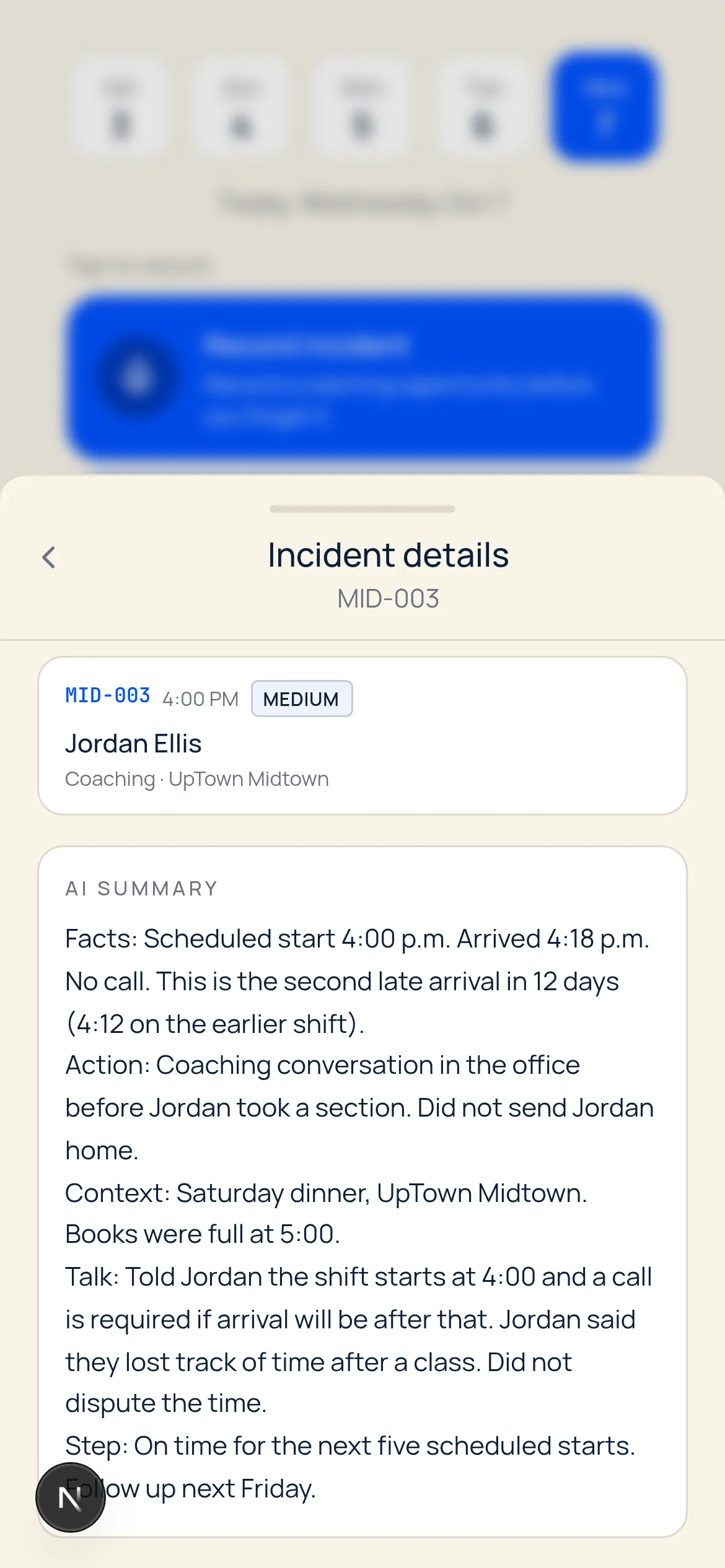
2. Review the structured employee record 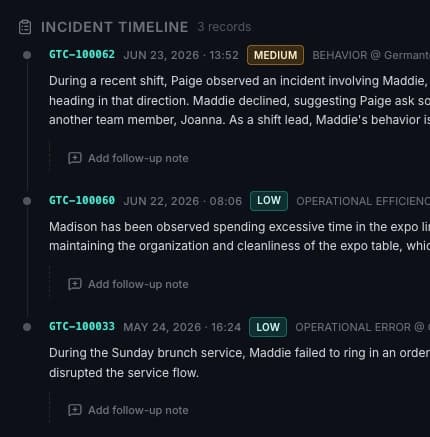
3. Open the history before the next conversation
- Capture. On the phone, including the native iOS app, the manager says what happened. The record screen also offers an incident, positive feedback, and a daily note. A voice note takes about ten seconds, and the original audio stays with the record.
- Organize. Docu-Coach™ structures the note and files it on that person's timeline. The web application is where a manager reviews the history, not a second place to retype it.
- Follow up. A follow-up can sit on the record. Before the next conversation, the manager opens the history that was already captured.
What the record can hold
These are workflows the product already ships:
- Incidents. What happened, dated, on the person's history.
- Positive feedback. Recognition is a record, not only a correction.
- Daily notes. A short observation that is not yet a formal step.
- Progress updates. What changed since the last conversation.
- Follow-ups. The commitment, kept next to the note that created it.
A single write-up or performance plan can still be drafted in the browser with the employee write-up generator or the performance improvement plan generator. Those tools do not keep a history. Docu-Coach™ does, which is what removes the need to rebuild the file later. The note itself is described in how to document employee coaching and employee performance notes.
Who it is built for
Docu-Coach™ is for the person who has the conversation: managers, department heads, team leaders, and owners. It is not limited to one industry.
A restaurant general manager, a retail store lead, a nurse manager, a construction superintendent, and a manufacturing supervisor can use the same habit. Industry pages, including restaurant managers, retail managers, and healthcare managers, show the setting. They do not change the product.
It is a weak fit for a buyer whose only requirement is payroll, benefits, or a signed-document archive. Use an HRIS for that, and keep Docu-Coach™ if managers still need the conversation history.
How it differs from the tools managers already use
| Approach | What it keeps | What it drops |
|---|---|---|
| A notes app | A sentence, fast | Whose history it belongs to, and whether anyone else can find it |
| A spreadsheet | A list, if someone maintains it | A reliable account of who wrote the row, and the conversation around it |
| A write-up template | One document | Every note that should have come before and after that document |
| An HRIS | Employment data and the official file | The coaching note, unless a manager types it in later |
| Docu-Coach™ | The observation, the structured record, and the follow-up on that person | Payroll, e-signature, and the contract archive, on purpose |
Manager coaching software and document employee conversations cover the adjacent wording. Incident-specific tracking is on employee incident tracking software.
Pricing
Free covers up to 2 active people. Manager is $9.98 per month for up to 25 active people. Teams is $250 per month. Start the 30-day Manager trial, with no card, at the trial form.
Frequently Asked Questions
What is employee coaching documentation software?
Employee coaching documentation software helps managers record coaching conversations, employee incidents, performance observations, and follow-up activity in an organized record. Docu-Coach™ is that record. It is not a system for contracts, payroll, or policy storage.
Who is Docu-Coach™ for?
Managers, department heads, team leaders, and owners who coach people directly. The product is industry-agnostic. Restaurants, retail, healthcare, hospitality, construction, and manufacturing are examples, not a limit.
How does the iPhone app relate to the web app?
The native iOS app is the capture companion: a manager records a short voice note while the detail is still fresh. The web application is where that person history is reviewed, organized, and opened before the next conversation.
Will the AI add facts I did not say?
The note is structured from what was captured. Prep Me and HR Ready compile records that are already saved. They should flag a gap instead of inventing a witness, a quote, or a date.
Does this replace our HRIS?
No. Payroll and the HRIS keep employment and the official file. Docu-Coach™ keeps the coaching and incident history beside them. The broader category is compared in the employee documentation software guide.
What does it cost?
Free covers up to 2 people. Manager is $9.98 per month for up to 25 people. Teams is $250 per month. Every new account starts with a 30-day Manager trial, no card required.
Related Resources
Best Employee Documentation Software in 2026
Compare employee documentation software for coaching, performance records, HR files, and employee incidents. Learn which tools fit your managers.
9 min read
Employee Performance Notes | Docu-Coach™
Performance notes should describe observable work, dates, and agreements instead of character labels. Start a 30-day trial with no card.
1 min read
Employee Incident Tracking Software
Employee incident tracking keeps what happened, what happened before, and the next step on one timeline. For restaurants and hotels. 30-day trial, no card.
5 min read
Document Employee Conversations | Docu-Coach™
Document the conversation the day it happens: who, what, when, and the follow-up. Start a 30-day trial with no card.
1 min read
Manager Coaching Software | Docu-Coach™
Software that turns a manager's voice note into coaching history, follow-ups, and 1:1 prep. Start a 30-day trial with no card.
1 min read
How to Document Employee Coaching
How to Document Employee Coaching for operators and HR. Step-by-step guidance, legal risk, examples, and best practices.
2 min read